Sure... the FX Send will have all the voicing from the preamp.So I need some clarification here, if you plug your instrument into the Helix then into the effects return, you bypass the preamp, but if you plug into the amp with the Helix in the effects loop, I don’t believe you’re bypassing the preamp... correct?

Enjoy the benefits of a premium membership!
Upgrade Account
-
TalkBass has been independent since 1998. Add your voice.
Create a free account to reply to discussions, view embedded media, and browse with fewer display ads.
Join free Log in
Want zero display ads or expanded classifieds tools? Compare plans.
You are using an out of date browser. It may not display this or other websites correctly.
You should upgrade or use an alternative browser.
You should upgrade or use an alternative browser.
More options
Who Replied?
Yes.So I need some clarification here, if you plug your instrument into the Helix then into the effects return, you bypass the preamp, but if you plug into the amp with the Helix in the effects loop, I don’t believe you’re bypassing the preamp... correct?
There is also 4 cable method to go in front and use the effects send and return.

Yes.
There is also 4 cable method to go in front and use the effects send and return.
Huh? Please elaborate!
.
Huh? Please elaborate!
.
The Helix and other multis can be setup so you can assign some effects in front of the amp and others in the effects loop.
View attachment 3495630
The Helix and other multis can be setup so you can assign some effects in front of the amp and others in the effects loop.
Shazam!

.

I have little to add to what my Rumble Club brethren have already stated.So I need some clarification here, if you plug your instrument into the Helix then into the effects return, you bypass the preamp, but if you plug into the amp with the Helix in the effects loop, I don’t believe you’re bypassing the preamp... correct?


My new 4X10 addition! Wow. Just, wow! It sounds so amazing. And I just finished rehearsal and my band mates love it too! I can't wait to gig with it Saturday.
View attachment 3494053 View attachment 3494054 View attachment 3494055 View attachment 3494056

So before I post a photo and ask for a number...I must ask a question about fan noise on the Rumble 200. Because I never heard a fan on the 500 and I can hear this one. It's not at a level where it's problematic in terms of sound (I don't think), but it's a little worrisome to me.
So before I post a photo and ask for a number...I must ask a question about fan noise on the Rumble 200. Because I never heard a fan on the 500 and I can hear this one. It's not at a level where it's problematic in terms of sound (I don't think), but it's a little worrisome to me.
I don’t recall ever hearing a fan on my 200c when I had it.
Then again, I always had the volume up decently loud to where I wouldn’t have been able to hear one anyway.
Attention Rumble Stage and Studio fans:
Rumble Stage 800 owner @Droopy_TX has taken up a labor of love and expanded on the written Presets List to include ALL the parameters for all the stock presets in a user friendly spreadsheet and in easily referenced PDF files!
The files are in a Dropbox folder linked on the Rumble Club Wiki page in the Tone App Support section. And here are the Usage Notes for these files:
The Fender Rumble Club is introducing a tool to capture locally (i.e. outside of the amp storage and Fender Tone Cloud) the parameters of presets created on the Fender Studio 40 or Rumble Stage 800.
The tool is essentially a standardized template created in a MS-Excel compatible spreadsheet. The template provides a listing of the parameters for each amp model and effects module for quick and easy transcription. To illustrate its use, a complete listing of all current stock presets created using to template has been included.
The current version of the template spreadsheet, the stock presets spreadsheet, and PDFs illustrating the spreadsheet content is stored in the following Dropbox folder:
Tone App Support section
The Dropbox folder currently contains these four (4) files:
RUMBLE PRESET TEMPLATE (STUDIO 40_STAGE 800).xlsx
The main spreadsheet containing the "preset builder template".
RUMBLE STOCK PRESETS (STUDIO 40_STAGE 800).xlsx
The spreadsheet containing all of the Studio 40/Stage 800 stock presets documented using the "preset builder template".
RUMBLE PRESET TEMPLATE - PARAMETERS.pdf
PDF file showing the contents of the "preset builder template" spreadsheet.
RUMBLE PRESET TEMPLATE - STOCK PRESETS.pdf
PDF file showing the contents of the stock preset spreadsheet.
PRESET TEMPLATE BUILDER INSTRUCTIONS
The instructions for using the "preset builder template" spreadsheet are simple:
- Create a preset on the Rumble 40 or 800 as normal, using either the Tone App or the amp front panel.
- Open the RUMBLE PRESET TEMPLATE (STUDIO 40_STAGE 800).xlsx file in a compatible spreadsheet application (e.g. MS-Excel, Apple Numbers, Google Sheets, OpenOffice Calc).
- Duplicate the ‘Preset Template’ worksheet to create a new worksheet in which to document a new preset.
- Name the new preset, and indicate the preset slot number, if desired.
- For each module in your, move or copy the 2-row entry for the amp and each effect module into the the appropriate position in the MODULE section (PRE-FX, AMP, POST-FX) to represent your preset’s signal path. If use more than one instance of the same effect, simply duplicate any entries as needed.
- Once you have populated all modules in your signal path into the MODULE section, you can either delete the rows for the unused modules for a clean look, or leave them there if you think you might change the preset.
- Walk through each of the parameters using either the Tone App or the front panel on the amp, and manually transcribe the values of each field to the template.
- Once you done entering the parameter values, save your work.
Rumble On!
Last edited:

Thanks Droopy_TX and G-Dog!Attention Rumble Stage and Studio fans:
Rumble Stage 800 owner @Droopy_TX has taken up a labor of love and expanded on the written Presets List to include ALL the parameters for all the stock presets in a user friendly spreadsheet and in easily referenced PDF files!
The files are in a Dropbox folder linked on the Rumble Club Wiki page in the Tone App Support section. And here are the Usage Notes for these files:
The Fender Rumble Club is introducing a tool to capture locally (i.e. outside of the amp storage and Fender Tone Cloud) the parameters of presets created on the Fender Studio 40 or Rumble Stage 800.
The tool is essentially a standardized template created in a MS-Excel compatible spreadsheet. The template provides a listing of the parameters for each amp model and effects module for quick and easy transcription. To illustrate its use, a complete listing of all current stock presets created using to template has been included.
The current version of the template spreadsheet, the stock presets spreadsheet, and PDFs illustrating the spreadsheet content is stored in the following Dropbox folder:
Tone App Support section
The Dropbox folder currently contains these four (4) files:
RUMBLE PRESET TEMPLATE (STUDIO 40_STAGE 800).xlsx
The main spreadsheet containing the "preset builder template".
RUMBLE STOCK PRESETS (STUDIO 40_STAGE 800).xlsx
The spreadsheet containing all of the Studio 40/Stage 800 stock presets documented using the "preset builder template".
RUMBLE PRESET TEMPLATE - PARAMETERS.pdf
PDF file showing the contents of the "preset builder template" spreadsheet.
RUMBLE PRESET TEMPLATE - STOCK PRESETS.pdf
PDF file showing the contents of the stock preset spreadsheet.
PRESET TEMPLATE BUILDER INSTRUCTIONS
The instructions for using the "preset builder template" spreadsheet are simple:
In the new worksheet:
- Create a preset on the Rumble 40 or 800 as normal, using either the Tone App or the amp front panel.
- Open the RUMBLE PRESET TEMPLATE (STUDIO 40_STAGE 800).xlsx file in a compatible spreadsheet application (e.g. MS-Excel, Apple Numbers, Google Sheets, OpenOffice Calc).
- Duplicate the ‘Preset Template’ worksheet to create a new worksheet in which to document a new preset.
NOTE: Each amp and effect module uses 2 spreadsheet rows to contain the parameter label, and a field for its value.
- Name the new preset, and indicate the preset slot number, if desired.
NOTE: The order of the fields in the template is based on the order in which they appear in the Tone App since most people will be using the app. However, the parameter order varies between the app and the amp’s front panel. Also, some screen variances have been noted between the iOS and Android app versions. Be careful when transcribing the data. If you are not seeing some of fields in the app, be sure to check to see if you need to scroll the screen. If you are still not seeing some of the data in the app, you can always get to the parameters from the amp’s front panel.
- For each module in your, move or copy the 2-row entry for the amp and each effect module into the the appropriate position in the MODULE section (PRE-FX, AMP, POST-FX) to represent your preset’s signal path. If use more than one instance of the same effect, simply duplicate any entries as needed.
- Once you have populated all modules in your signal path into the MODULE section, you can either delete the rows for the unused modules for a clean look, or leave them there if you think you might change the preset.
- Walk through each of the parameters using either the Tone App or the front panel on the amp, and manually transcribe the values of each field to the template.
- Once you done entering the parameter values, save your work.
Rumble On!
Last edited:
Curious how the 800HD fits in to the class and ICE/SMPS amplifier scheme... I’ll bet it’s been discussed but can’t find it immediately. Thanks for pointing it out if you know.
Fender Rumble Club
Fender Rumble Club
Best hundred dollar amp on the market IMO. Gets plenty loud, but Not sure I’d play out with it.I just picked up a Fender Rumble 25 bass combo for practice and maybe small gigs. I've read in a few of the reviews that it's pretty loud for it's size. Has anyone rehearsed or gigged with a 25 in a band situation? One guy said it could keep up with drums, but I'm betting he wasn't in a super loud heavy metal band...
I do an open mic night regularly where the stage amp is a Rumble 40 (I think). Full bands with drums. It is not loud enough for that situation so it's hard for me to imagine that a 25 would be (and this might even be a 25. Not sure). Big stage, LOUD stage, and it just doesn't cut through.
OTOH I am playing with my new 200 and...I think I really like it! I think I like it way better than the 500 although that may just be me wanting to like it way better than the 500 lol! But it just has a very satisfying thump and clarity to it. And I don't need a dolly to schlep it out to my car -- que milagro!
The fan is less noisy today. I can barely hear it now. About the only thing I can come up with is that this amp sat in a house for a couple of years and was apparently never played (the seller told me this and I believe her. It's spotless). Maybe it just needed to blow the dust off or something.
OTOH I am playing with my new 200 and...I think I really like it! I think I like it way better than the 500 although that may just be me wanting to like it way better than the 500 lol! But it just has a very satisfying thump and clarity to it. And I don't need a dolly to schlep it out to my car -- que milagro!
The fan is less noisy today. I can barely hear it now. About the only thing I can come up with is that this amp sat in a house for a couple of years and was apparently never played (the seller told me this and I believe her. It's spotless). Maybe it just needed to blow the dust off or something.
Thanks Droopy_TX and G-Dog!
Thanks, chupa, but it's all @Droopy_TX on this one. A technical Herculean effort. @Gravedigger Dav and I offered encouragement and support when consulted. But Droop had the vision and energy to start it, and then push it above and beyond to the current fully informational and usable state.
Thank you, @Droopy_TX !
Rumble On!
Last edited:
A follow-up to my post about the 500 head cutting out when I turned on the overdrive...
Well, as G-Dog suggested, I had both overdrive knobs all the way down.
The amp is fine.
The repair guy is disappointed.
I'm an idiot. (But I did save money, thanks to G-Dog!)
Well, as G-Dog suggested, I had both overdrive knobs all the way down.
The amp is fine.
The repair guy is disappointed.
I'm an idiot. (But I did save money, thanks to G-Dog!)
But an idiot with a heavier wallet.A follow-up to my post about the 500 head cutting out when I turned on the overdrive...
Well, as G-Dog suggested, I had both overdrive knobs all the way down.
The amp is fine.
The repair guy is disappointed.
I'm an idiot. (But I did save money, thanks to G-Dog!)

A follow-up to my post about the 500 head cutting out when I turned on the overdrive...
Well, as G-Dog suggested, I had both overdrive knobs all the way down.
The amp is fine.
The repair guy is disappointed.
I'm an idiot. (But I did save money, thanks to G-Dog!)
Whew!
 Well, thanks, dougie, for confirming that "mute switch" tip! Sorry you had to get the repairman's hopes up, but glad it worked out for you!!
Thanks go to @bassliner50 for posting this idea to the Returned My Rumble 40 thread!
PS: I can't believe this "trick" has been available for 5 years and is just now coming to light!? So I've added it to the Rumble Talks section of the Rumble Club Wiki page.
.
Last edited:
Don’t mean to hijack ongoing discussions, but I resolved an issue I was having with my 500 combo. Top 10” speaker began producing a noticeable buzz that resonated through the baffle. Particularly low C and D#. Tightening or loosening screws on speaker and throughout combo did not help the issue. Was considering adding acoustic foam to the back of the baffle. As an experiment I laid thin strips of loop velcro (not hook!) between each of the speaker screw holes and the speaker cutout. I then laid the speaker back in, with speaker now laying flat on the velcro strips and screwed speaker back in. It worked! Can hear no more resonant hum, and deep notes feel tight and solid. Reading previous posts about this centered on defective speaker and/or rattle coming from other parts of the room, etc. In my case speaker was creating resonant buzz through a weaker part of the combo. Velcro strips eliminated most if not all of the resonance. Hope this helps others. Cheers,
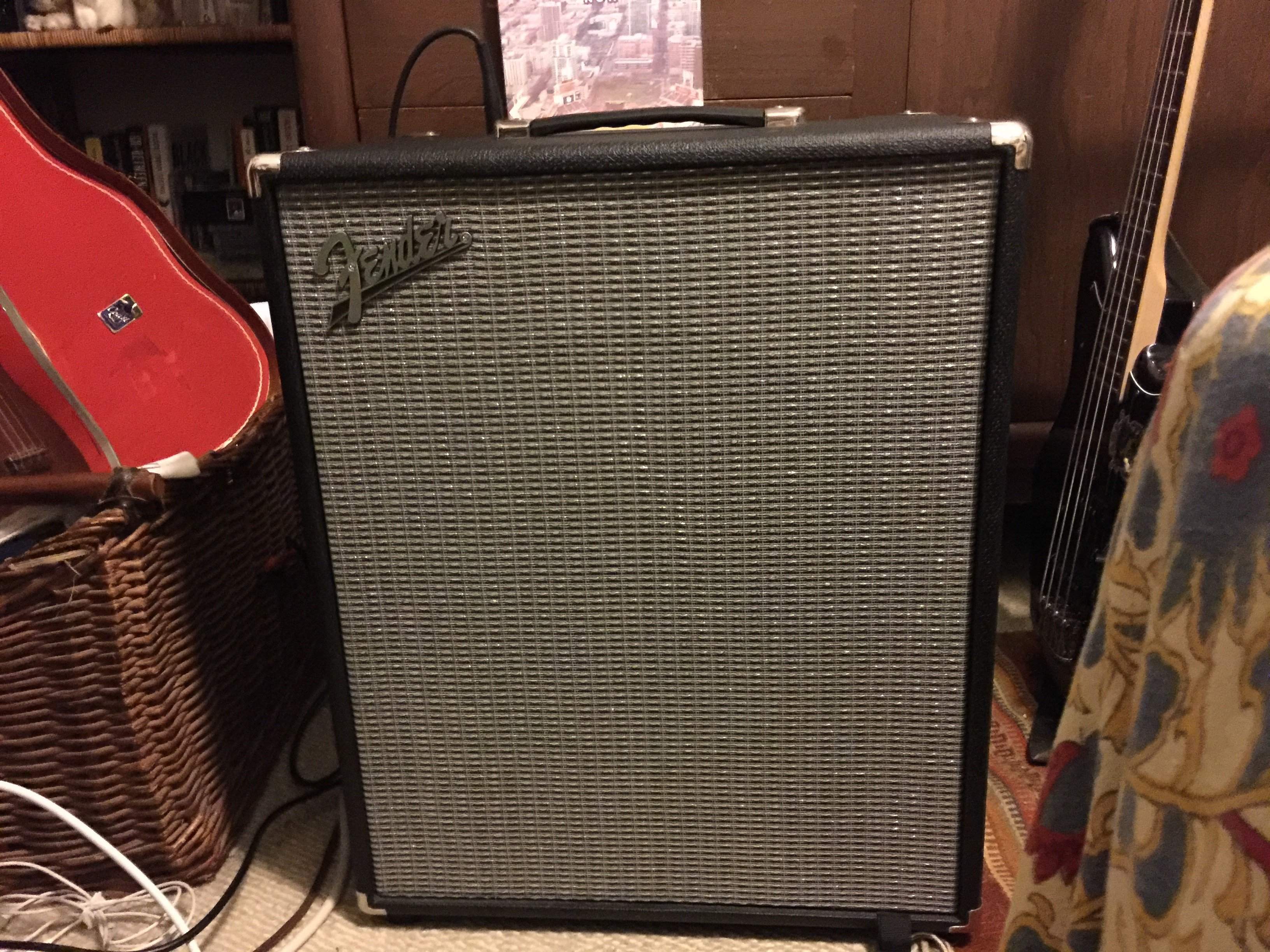
*ahem* Here is my Rumble 200. May I have a number please?