• TalkBass has been independent since 1998. Add your voice.
    Create a free account to reply to discussions, view embedded media, and browse with fewer display ads.
    Join freeLog in
    Want zero display ads or expanded classifieds tools? Compare plans.

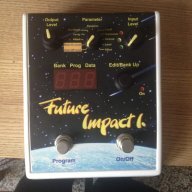
Future Impact now available!! WAS: deep impact reissue!!! interested?

The Midi Solution Event Processor box can remap almost everything (MIDI Solutions Ordering Information) it can cope with NRPN as well.
So in theory, if I have a Source Audio Reflex that sends Midi, I can use this box to make it control the Future Impact with whatever control it is looking for?

It seems kind of an oversight that to control it we need to get the Behringer that's as big as a pedal board itself, or buy another box to make the widely used solutions work.
 
So in theory, if I have a Source Audio Reflex that sends Midi, I can use this box to make it control the Future Impact with whatever control it is looking for?

It seems kind of an oversight that to control it we need to get the Behringer that's as big as a pedal board itself, or buy another box to make the widely used solutions work.
ok, let me jump in here before whatever...

the nrpn mode of addressing the parameters is for the editor software, it is the only way to address all the parameters with the midi protocol.

as i wrote earlier there will be single cc's for different parameters, so that they can be controlled directly by standard solutions. at the time midi volume and program-change are implemented. filter cutoff will also be implemented before the release. what parameters will follow is open discussion and not so trivial to program. but there will surely be an update of the firmware after the release that will enhance "normal" midi control.
 
So what happens if I send just one of those MIDI CC messages (98 or 99)? Or can the same thing be accomplished by sending both of those at the same time?
let me try to explain this:

with the cc messages 98 and 99 you select a specific parameter, after that you send a value with cc number 6.

so to give an example:

if i want to address the filter cutoff i would first select the "parameter field" filter with a cc message 99 with the value 18.
i would send then a cc message 98 with the value 7. this tells the f.i. that within the filter field i am looking for control "filter cutoff" finally i send a cc 6 with the value i want the filter cutoff to be.

so cc 99 and 98 are used to address a specific parameter that can then be changed. if you just send 99 or 98 nothing happens.

i hope this is clear.
 
  • Like
Reactions: AlexanderB
let me try to explain this:

with the cc messages 98 and 99 you select a specific parameter, after that you send a value with cc number 6.

so to give an example:

if i want to address the filter cutoff i would first select the "parameter field" filter with a cc message 99 with the value 18.
i would send then a cc message 98 with the value 7. this tells the f.i. that within the filter field i am looking for control "filter cutoff" finally i send a cc 6 with the value i want the filter cutoff to be.

so cc 99 and 98 are used to address a specific parameter that can then be changed. if you just send 99 or 98 nothing happens.

i hope this is clear.
Thanks for explaining that. It makes a little more sense now, it just didn't sound good when the only option for foot controlling expression was the gigantic Behringer or another box, which seemed to be what you guys were saying.
 
Just to clear it up for some of you. What @lokki is talking about regarding volume and cutoff is achievable with a regular MIDI capable expression controller. The first number is the MIDI CC destination, the second number is the value (0-127) which will be generated by the expression controller.
 
Last edited:
I think that someone asking if they could increase the LFO speed to achieve the sound Lokki was doing with a mouse in the editor, is what kind of kicked it off in this direction.

Edit: More LFOs than I knew about. See the post below mine for the true facts.

Please correct me if I'm wrong folks. I don't know if it has been covered elsewhere. The website for the Future Impact says there are LFOs to modulate the pulsewidth of the oscillators. It doesn't mention LFOs to modulate other parameters. So you might not be able to do that internally.

But you can still do this if you send a LFO via MIDI to the appropriate CC destination.
 
Please correct me if I'm wrong folks. I don't know if it has been covered elsewhere. The website for the Future Impact says there are LFOs to modulate the pulsewidth of the oscillators. It doesn't mention LFOs to modulate other parameters. So you might not be able to do that internally.

But you can still do this if you send a LFO via MIDI to the appropriate CC destination.
there is an lfo that modulates the pitch of the oscillators and the filter cutoff. (individually adjustable) so yes you can indeed do that internally. the only thing i did with the mouse was adjusting the lfo frequency (with destination filter cutoff).
 
  • Like
Reactions: Dark Barn
let me try to explain this:

with the cc messages 98 and 99 you select a specific parameter, after that you send a value with cc number 6.

so to give an example:

if i want to address the filter cutoff i would first select the "parameter field" filter with a cc message 99 with the value 18.
i would send then a cc message 98 with the value 7. this tells the f.i. that within the filter field i am looking for control "filter cutoff" finally i send a cc 6 with the value i want the filter cutoff to be.

so cc 99 and 98 are used to address a specific parameter that can then be changed. if you just send 99 or 98 nothing happens.

i hope this is clear.

Just to clear it up for some of you. What @lokki is talking about regarding volume and cutoff is achievable with a regular MIDI capable expression controller. The first number is the MIDI CC destination, the second number is the value (0-127) which will be generated by the expression controller.

Okay, so let me reword this one more time just to be clear, basically you send the combinations of CC #98 and CC #99 to select what you want CC #6 to control. Then CC #6 becomes the actual CC that you use to "express," "modulate," or whatever? So in my case, with a Reflex expression pedal, I would want the Reflex putting out CC #6, but first I must send NRPN / CC #98 and #99 to select what it controls?
 
basically yes. but this should all happen within a short time :) normally those messages are sent right after each other. but as i said these are for the editor. other midi functionality (straight cc) is already implemented and will be enhanced further.
 
  • Like
Reactions: BIG97BEN
there is an lfo that modulates the pitch of the oscillators and the filter cutoff. (individually adjustable) so yes you can indeed do that internally. the only thing i did with the mouse was adjusting the lfo frequency (with destination filter cutoff).
Well, the modwheel (CC1) in its' current state can modulate the LFO VCO pitch modulation amount (it's a fixed route). So if that one controller could be routed elsewhere with a switch (for example Cutoff) it would be a better status. If this one controller could be routed to more then one destination simultaniously it could be an even better scenario. If more controllers (and internal parameters) could be freely routed, let's say in a 20*20 grid it would be fabolous, but then we should call the synth Matrix 12 :)
 
Last edited:
  • Like
Reactions: Adamixoye
what parameters will follow is open discussion and not so trivial to program. but there will surely be an update of the firmware after the release that will enhance "normal" midi control.

The general "solution" would be adding the following sub-parameters for each of the main control parameters:
  • exp CC#
  • exp multiplier
for each preset.

...so the effective value of each parameter would be:
<value as set in the preset> + ( <exp CC value> * multiplier )

easy :cool:
 
The general "solution" would be adding the following sub-parameters for each of the main control parameters:
  • exp CC#
  • exp multiplier
for each preset.

...so the effective value of each parameter would be:
<value as set in the preset> + ( <exp CC value> * multiplier )

easy :cool:
haha... yeah easy as pie. and generally dsp chips have unlimited power and unlimited space to store programs :-) seriously though the main issue is how to implement it within the "limits" of the pedal. the general direction is not the problem...
 
  • Like
Reactions: ProfFrink
I think people will be happy as long as they can control a couple of parameters in real time with an expression pedal.

Exactly this. My Reflex outputs up to 3 different CC at a time, but won't do NRPN as I understand it from the way it's been described here. As long as the most important 1-2 parameters are accessible through "plain" CCs like this, I'm good.
 

Latest posts