• TalkBass has been independent since 1998. Add your voice.
    Create a free account to reply to discussions, view embedded media, and browse with fewer display ads.
    Join freeLog in
    Want zero display ads or expanded classifieds tools? Compare plans.

Source Audio Sorcerers Society (S.A.S.S) Part 3

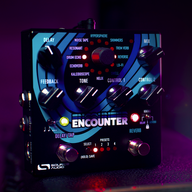
Quick question regarding the Collider pedal. When it was first released I recall that there were some folks who were concerned that it was not as geared towards bass due to the lack of a low cut option in the delay models which could result in the delays being muddier than compared to the Nemesis. But from reading the manual, it looks like the tone knob on the Collider can act as both a low or high cut on most of the delay models. Most of the reverb models also appear to have a treble and bass filter available. What are people's experiences with using this on bass compared to the Nemesis / Ventris?

All of the reverbs on the Collider have low cut except for Shimmer. On the delay side, only the Digital engine has low cut. Technically, you could argue that the Tape engine has kind of a built in low cut as the repeats are bandwidth limited. The one thing I prefer on the Nemesis is being able to set where the cut off point is for the low cut filter.

The one thing I'll give the Collider credit is that it was set up with parallel delay and reverb in mind. This was something irksome for me with the Nemesis and Ventris. You need a small active summing mixer and a buffered splitter to pull parallel delay and reverb off with success with the Nemesis and Ventris.

In reality, considering bass rarely calls for delay and reverb, I think Source Audio has the main staples covered at least. You have tape and digital delay as well as some very common reverbs plus the ability to run them in parallel with ease.
 
All of the reverbs on the Collider have low cut except for Shimmer. On the delay side, only the Digital engine has low cut. Technically, you could argue that the Tape engine has kind of a built in low cut as the repeats are bandwidth limited. The one thing I prefer on the Nemesis is being able to set where the cut off point is for the low cut filter.

The one thing I'll give the Collider credit is that it was set up with parallel delay and reverb in mind. This was something irksome for me with the Nemesis and Ventris. You need a small active summing mixer and a buffered splitter to pull parallel delay and reverb off with success with the Nemesis and Ventris.

In reality, considering bass rarely calls for delay and reverb, I think Source Audio has the main staples covered at least. You have tape and digital delay as well as some very common reverbs plus the ability to run them in parallel with ease.

Interesting, thanks for the reply!
 
Maybe get me in on that one as well??? I always had issues connecting bluetooth devices to my C4 and put it down cause I just couldn't get it to work.

So I don't know if you were on iOS when you tried to use Bluetooth for the C4 presets, but with today's app update, my issues have been resolved and all works well again. Just a quick rundown:

1. Connect Neuro cable to C4 and Bluetooth transmitter.
2. Pair/Connect smartphone and Bluetooth transmitter.
3. Open the Neuro app and select presets just as you would do with a wired connection.

Now the two things that are important/can go wrong are:

1. You definitely have to activate the toggle "Invert Audio Phase" in the main settings of the app (via the little gear-icon in the upper right of the screen where you can select your pedal).
2. In my case it was important to find out which volume setting on the phone worked best, i.e. it's probably best to go to full volume and then slowly decrease it until it works right. Three clicks down from full volume worked for me.

Maybe this was all kind of obvious, but I thought I'd share it anyway.
 
@Gibs210 could you explain to me on how to wire an effects loop with the c4. I looked at the manual but I am still confused.

What kind of loop do you need? I have programmed a couple. One is a parallel loop (so plays alongside what’s the C4 is doing and is unaffected by it). I’ve also made a patch which allows you to use the contents of the C4’s loop even when it is bypassed.
 
What kind of loop do you need? I have programmed a couple. One is a parallel loop (so plays alongside what’s the C4 is doing and is unaffected by it). I’ve also made a patch which allows you to use the contents of the C4’s loop even when it is bypassed.

Honestly both would be amazing. With 1st does the pedal in the loop get effected by the c4 filers or distortion.
 
Honestly both would be amazing. With 1st does the pedal in the loop get effected by the c4 filers or distortion.
No, it doesn’t. That’s what I meant by its being unaffected by the C4.

Nathan’s template (the one Gibs linked to) is for when you want the envelopes to be triggered by the dry input but have the C4’s effects applied to the contents of the loop. This sacrifices a processor.

If you don’t need the dry bass to trigger the envelopes then you can use the built-in “external loop mode” on the C4.

My loops are in the cloud. Just search for C4 patches using “loop” as the keyword.
 
What is best practice for programming an SA pedal chain when using Desktop Editor on a MacBook Pro and Neural Hub ? I'm seeing the desktop hang up a lot have had to do factory resets to regain control of pedals. All very awkward at the moment...

I have 1 known good USB cable. A C4, AS and Mercury are all connected to the hub.

MBP has 2 USB ports but it seems to want to see 1 device at a time via USB - possible bad USB cable I suppose. I'm hoping there is a way to get at the Aftershock and Mercury pedals working in tandem. That is a Desktop editor window for each so that I can really tweak them as a pair...
 
  • Like
Reactions: Dmonweb
What is best practice for programming an SA pedal chain when using Desktop Editor on a MacBook Pro and Neural Hub ? I'm seeing the desktop hang up a lot have had to do factory resets to regain control of pedals. All very awkward at the moment...

I have 1 known good USB cable. A C4, AS and Mercury are all connected to the hub.

MBP has 2 USB ports but it seems to want to see 1 device at a time via USB - possible bad USB cable I suppose. I'm hoping there is a way to get at the Aftershock and Mercury pedals working in tandem. That is a Desktop editor window for each so that I can really tweak them as a pair...
Simply hook the hub to your Mac via USB and connect the SA pedals to the Hub using their dedicated TRRS cables. That way you can create scenes and control all the pedals via the Hub.
 
I must be being a bone head here but it seems like I don't get the desktop editor for each of the pedals that way. I can see them on the hub but when double clicking the pedal entry, nuttin' happens... I'm expecting a desktop editor page to pop up in the main window...
 
I must be being a bone head here but it seems like I don't get the desktop editor for each of the pedals that way. I can see them on the hub but when double clicking the pedal entry, nuttin' happens... I'm expecting a desktop editor page to pop up in the main window...
In the left lane where you see the Hub, click on its spanner icon. That opens the “scene viewer”. Now click “create scene” and choose “create scene with current attached devices”. Now click on any of the device pictures to open its editing window.

Instead of choosing “create scene” you can simply choose “add pedal” to manually add individual pedals to the scene.
 
  • Like
Reactions: rsmith601
Ok, tested and that works. My AS on the other hand is acting weird. When hooked to the Mac via USB, the first three presets are empty, 4, 5 and 6 have three default settings for each of the switch positions. Factory Tube Default, Factory Heavy Default and Factory Fuzz Default.

When I highlight one and press Save, then select slot 1. I still get an empty slot one.

and the option switch on the pedal itself is weird. Hold down the switch for a 6 count -option indicator goes green. press foot switch, indicator blinks, press again blinks faster, press again blinks faster yet, press again indicator light goes out.

Yes, I updated the firmware and did a factory reset.

I the current state, I don't seem to be get the pedal to pass audio. My guess is that I have managed to get it stuck in this for three empty presets.

Next step for this morning is to date the firmware and factory reset again.

Anyone else see this behavior with their Aftershock ?
 
Ok, tested and that works. My AS on the other hand is acting weird. When hooked to the Mac via USB, the first three presets are empty, 4, 5 and 6 have three default settings for each of the switch positions. Factory Tube Default, Factory Heavy Default and Factory Fuzz Default.

When I highlight one and press Save, then select slot 1. I still get an empty slot one.

and the option switch on the pedal itself is weird. Hold down the switch for a 6 count -option indicator goes green. press foot switch, indicator blinks, press again blinks faster, press again blinks faster yet, press again indicator light goes out.

Yes, I updated the firmware and did a factory reset.

I the current state, I don't seem to be get the pedal to pass audio. My guess is that I have managed to get it stuck in this for three empty presets.

Next step for this morning is to date the firmware and factory reset again.

Anyone else see this behavior with their Aftershock ?
The control input button works differently on the older pedals than the c4. What your describing is the method for programming expression assignment. It’s possible that the expression is controlling your input level and thus, why you aren’t getting any output. If you use the editor, you should be able to clear all the expression settings, then re-save each preset. To switch between red and green, you’ll need to hold the footswitch down for 5 seconds (1 second if you enable the quick change option in the editor). The one thing to remember is when changing back to green mode, the pedal must bypass first then hold the switch, or else all your doing is saving changes to the pedal if red mode is active.
 
with the AS direct to Mac.
I did a Factory Reset. Still empty in first three presets and no audio.
I was able to save the defaults into 1, 2 and 3. Still no audio.
A looked at the External Control section. Enable External Control is off. I toggled it and saw it go green, reset to grey/unselected.

Still no audio.

Then I increased the output and the Drive settings, heard a relay click and now I have audio when the AS is not engaged. Soon as I engage, It mutes audio in effect position 1. which is a save as of the default I see in slot 4.

i/o is set to automatic.

... Neuro Desktop just crashed hard. on reboot it no longer sees the AS via USB.

Beginning to think the AS is toast.​