• TalkBass has been independent since 1998. Add your voice.
    Create a free account to reply to discussions, view embedded media, and browse with fewer display ads.
    Join freeLog in
    Want zero display ads or expanded classifieds tools? Compare plans.

Digital Amp User Interface

@Passinwind

If I change the setting from :

Control knobs: [ Ring ]

to :

Control knobs: [ Single dot ]

It will show this instead :

upload_2024-5-19_6-8-29.png
 
  • Like
Reactions: Passinwind
You did say "digital amp".

I will say, however, that the trouble with LEDs surrounding the knobs is that you can't see them well with your fingers on the knobs.

A digital amp is not a plugin, it's an amp with a digital pre-amp section, like the Bergantino B|amp, the Boss Katana 500, the Darkglass Exponent 500. TC Electronics also made a few.

I agree, we have to make sure the visibility of the knob's value must remain good when we move them. I believe it's possible, because you have the LED ring + the value displayed on the large screen. But it would definitely need a lot of user testing to confirm that point.
 
Last edited:
One of the reasons why I made this mockup is that I love the features of the HX Stomp, but I hate paging into menus during rehearsals and gigs. You need instant access to the settings. To the point that I'm no longer using the HX Stomp.

So, when I saw the Katana 500, I loved the fact that we have classic knobs like in a normal amp, but I think we need these led ring indicators on the knobs in order to show the current setting when we recall a preset.

Darkglass exponent 500 has a different solution where each knob has a normal position indicator + a led ring.
I think it's interesting, but I don't understand it fully, I think it's confusing. But maybe I'm dumb.

4f995f63e3JaoVQYUhp6Rwdq1JAhFVdMveVQh9BV.jpg
 
Apple Logic Pro Channel EQ plug-in user interface. Rather than knobs, you just click on the numbers and move the mouse.

View attachment 5452295

And if you look at my mockup, it's a bit "quick & dirty" but the idea was exactly to display:
  • The same visualization of the EQ curves like in your screenshot = the blue curves you see on my mockup
  • Plus on my mockup the white line on top of the blue curves would be the visualisation of the real time frequency response of the instrument being played.
So that you can adjust the EQ curve while viewing it and the instrument's frequency response, like in studio software.

The idea is to start with simple and fast UI like in a classic amp, for instant adjustments (tab [Amp Overview]), + the possibility to go in "expert" mode, and view the EQ like in a studio (tab [ EQ. ]).

upload_2024-5-19_6-53-52.png
 
5. Preset view

View attachment 5451581

UX inspired from Helix, with a big difference: each block can be « Global » or « Preset »
  • Global blocks are not affected by preset changes. You can change their parameters « once and for all » it won’t change if you load a new preset, only if you change it again.This is for live use, it corresponds to the « Global EQ » of the HX Stomp, but it can contain any kind of block at any position in the chain. Think about your normal amp, with permanent settings during all the show.
  • Presets can be loaded, modified, stored, like on a normal multi effect. Think about your pedalboard, with infinite combination of effects

Touch screen: if you touch any bloc, you edit the corresponding settings…

6. Edit a block05@3x-80.jpg 05 copie@3x-80.jpg
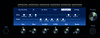
View attachment 5451582

The knobs control the parameter of the selected pedal

----------
Thoughts?
----------

Let's take an example of the "Global / Preset" concept: you may like to set your compressor as an "always on, set and forget" FX, if so you put it on the "Global" chain

Or if you want different compressor settings on each song/preset, simply move you compressor block in the "Preset" chain

05@3x-80.jpg 05 copie@3x-80.jpg

You see the benefit?

In the first case, the compressor setting is permanent during all the show, and you can change it, it will be modified until the next mod.

In the second case, each time you load a new preset il will include its own compressor setting (or not).
 
Last edited:
  • Like
Reactions: BEADist
View attachment 5452335

UAD already made the perfect one. :D
LOL.

You think I've got too many knobs?

One of my goals was to define the minimum number of knobs on any amp, in order to give a complete control without paging or diving into menus. Instant access, for live view.

After giving it careful thought, my answer is 6: less knobs would oblige us to page throught menus, more would be confusing and overwhelming - IMHO.

What do you girls and guys think is the ideal number of knobs?
 
Last edited:
I'm personally partial to the idea that the interface should locate controls mirroring the signal flow. That is if an equalizer precedes gain or dynamics control etc, from left to right the controls represent that.

I think a screen is nice but it does carry the risk of cluttering the UI. One of the immediate benefits of graphic EQs is that fader position immediately reveals the settings/curve. I do quite like the LED ring too, much like the Scarlett interfaces.
 
  • Like
Reactions: amper and gtirard
----------
Thoughts?
----------

I love it, the interface looks clear and clean and intuitive. Knobs on the box with LED rings are a good idea, but an optional touchscreen I can place on a discreet stand within easy reach on stage would be my preferred control for live work. I'll assume that the interface could be on any pad I might have on stage anyway. It's slow control, so bluetooth latency would be fine, I guess.

To me a BIG QoL element would be how I can organise my presets to match a setlist (and modify the order very easily) with possibly an automatic overall volume matching across the whole list. This is a part where physical units always fall short for me and a computer interface will have such an advantage. (And don't forget the free text field to be shown on said pad that could tell me my little notes to self like "Bridge pickup only, high mids slight boost" or "Pickups 50/50, treble rolled off on bass".

So a preset up/down button like on a pedal could be there, but I'd love it if I could also use it to get into a much bigger dedicated interface.
 
  • Like
Reactions: gtirard
I love it, the interface looks clear and clean and intuitive. Knobs on the box with LED rings are a good idea, but an optional touchscreen I can place on a discreet stand within easy reach on stage would be my preferred control for live work. I'll assume that the interface could be on any pad I might have on stage anyway. It's slow control, so bluetooth latency would be fine, I guess.

To me a BIG QoL element would be how I can organise my presets to match a setlist (and modify the order very easily) with possibly an automatic overall volume matching across the whole list. This is a part where physical units always fall short for me and a computer interface will have such an advantage. (And don't forget the free text field to be shown on said pad that could tell me my little notes to self like "Bridge pickup only, high mids slight boost" or "Pickups 50/50, treble rolled off on bass".

So a preset up/down button like on a pedal could be there, but I'd love it if I could also use it to get into a much bigger dedicated interface.

I agree. I focused on the live settings. The computer editor, like for Helix, via USB (or Bluetooth), would be the main interface where I would like to prepare and organise the presets for a given set list, and there should be function on the amp itselft that would enable editing and organising the presets, I just didn't have the time to really think about it.

This is just a quick and dirty concept, should be completed and detailed of course, but I have no real project behind that, it's just for the pleasure of thinking and discuss…
 
Last edited:
  • Like
Reactions: Avigdor
LOL.

You think I've got too many knobs?
Nope not at all just kidding.
But it's a big difference between digital amp in a box (digital display etc) and digital (vst) and amp for daw.
If it's a digital amp in physical form it makes so much sense.


But if it's for daw I don't think having a tuner built in tuner or anything other than the amp itself makes a lot of sense. Because in a daw you can add eq, compressor, tuner, cab sim etc to you signal chain.

 
Nope not at all just kidding.
But it's a big difference between digital amp in a box (digital display etc) and digital (vst) and amp for daw.
If it's a digital amp in physical form it makes so much sense.


But if it's for daw I don't think having a tuner built in tuner or anything other than the amp itself makes a lot of sense. Because in a daw you can add eq, compressor, tuner, cab sim etc to you signal chain.

I'm talking about a physical amp, not a plugin. It's an amp, with a class D power section, and a digital preamp (think HX Stomp).

This category of amps already exists, although there's no official name for it: Darkglass Exponent 500, Boss Katana 500 bass amp,…

It's funny that you are at least the second person who thought I was talking about a software. Probably because my mockup is too sketchy, or was the title of my thread misleading? How should I call it?
 
I agree. I focused on the live settings. The computer editor, like for Helix, via USB (or Bluetooth), would be the main interface where I would like to prepare and organise the presets for a given set list, and there should be function on the amp itselft that would enable editing and organising the presets, I just didn't have the time to really think about it.

This is just a quick and dirty concept, should be completed and detailed of course, but I have no real project behind that, it's just for the pleasure of thinking and discuss…
I tought is a plugin because of the title but if it's a physical amp, it's great!
 
  • Like
Reactions: gtirard
My gut reaction is that if an amp had a touch screen interface, I'd prefer sliders rather than rotary controls. The main benefit of a rotary knob is that you can anchor your hand on while you turn it. Also, you can look away once you've found the knob. On a touch screen, in a work setting, you're more likely to anchor your hand with a thumb or finger on the edge of the display. In fact there would have to be a raised ridge or edge for this purpose.

It's worth studying how digital interfaces are designed for scientific and industrial equipment.

To me, round knobs are a bit daft for mission critical on the fly adjustments.
@Passinwind

If I change the setting from :

Control knobs: [ Ring ]

to :

Control knobs: [ Single dot ]

It will show this instead :

View attachment 5452303

Much better, but maybe consider physical knobs that convey setting position more obviously? For onboard EQ I've come to prefer the style of the three on the right:


CMBPK_cu.png


No need to even look at them to tell how they're set as I turn them, for me at least. I have some ideas for something like Braille cues to take this idea further, but I haven't bothered pitching my knob maker friend on pursuing that yet since I'm barely even playing bass these days.
 
  • Like
Reactions: beans-on-toast
To me, round knobs are a bit daft for mission critical on the fly adjustments.


Much better, but maybe consider physical knobs that convey setting position more obviously? For onboard EQ I've come to prefer the style of the three on the right:


View attachment 5452516
No need to even look at them to tell how they're set as I turn them, for me at least. I have some ideas for something like Braille cues to take this idea further, but I haven't bothered pitching my knob maker friend on pursuing that yet since I'm barely even playing bass these days.

I love the knobs of your onboard EQ, but it is precisely intended to have physical knob with infinite rotation and virtual position indicator by a LED ring, because for that application, the settings change each time we're going to load a preset.

For example, you set our amp to Gain 6, Bass 0, Low Mid +2, Hi Mid 0, and Treble +2
Then you load another preset, which as the settings: Gain 5, Bass +3, Low Mid +0, Hi Mid 1, and Treble 0
The LED ring of each knob will now reflect these new settings and you can edit from there.
Whereas with a classic knob, whatever the cool shape, when you load a new preset, and knobs show a wrong settings.
 
  • Like
Reactions: BEADist