• TalkBass has been independent since 1998. Add your voice.
    Create a free account to reply to discussions, view embedded media, and browse with fewer display ads.
    Join freeLog in
    Want zero display ads or expanded classifieds tools? Compare plans.

Fender Rumble LT25, Studio 40 & Stage 800

Lucky or unlucky, I am always interested and willing to listen. I kind of lost you in the reference to "midi" and "video" but I believe it is in reference to your video project which could be confusing and, if it is, only you can answer if it is "%^* worth it?". I am listening and watching, while looking at the bottom of the tequila bottle ;).

I finally made a recording! Tomorrow, I'm gonna teach myself to eat with a fork. What a hassle, but the sound of the bass was pretty good. The nice thing I can listen to the midi recording Jens, the director, sends us, in my phones at whatever volume I want, while #2 records the video with the audio coming out of the amp.

Now I need to figure out how to get the canned music onto the recording with my bass at the same time. I'm going to eat dinner...my brain is tired. Still no cabinet either. I guess they used Pony Express.
 
Maybe even a recording so we can catch some of the magic!
I've got quite a bit of learning ahead of me with the Studio 40 first before I even think about learning to record myself (other than the ole cell phone).

Downloaded the manual today - seems a bit intimidating at this point, but hopefully it's intuitive enough that I can catch on quickly once I get to play with it.
 
I've got quite a bit of learning ahead of me with the Studio 40 first before I even think about learning to record myself (other than the ole cell phone).

Downloaded the manual today - seems a bit intimidating at this point, but hopefully it's intuitive enough that I can catch on quickly once I get to play with it.

Take your time, our bass buddy. That's a goal you might want to work towards but enjoy the journey ahead. Also, don't feel bad if you don't have every inkling memorized. I'm still working at it, and when you get to the back pages with all the procedures for its settings you'll cry to your mom. I used the DI out to record my bass and the playback sounded really fine. I've used it during a gig too and had great success running the combo through the PA system. Learn what you think you need to at the moment you're doing something with it. By 2025 you'll have it all down!
 
  • Like
Reactions: G-Dog and bhendrix
I've got quite a bit of learning ahead of me with the Studio 40 first before I even think about learning to record myself (other than the ole cell phone).

Downloaded the manual today - seems a bit intimidating at this point, but hopefully it's intuitive enough that I can catch on quickly once I get to play with it.
The USB from the amp straight into your computer is pretty nifty, no interface, no fuss, no muss.
 
The USB from the amp straight into your computer is pretty nifty, no interface, no fuss, no muss.

Hey Barfany! So if you run into the computer through the USB, what are you using for software? I'm asking because I have a Presonus Audiobox USB 96 interface and their base software to learn from, and you're just bypassing the interface, right? Since I'm being nosey, what do you use to record with? For something supposedly so simple, the Studio One 4 is way too much info to handle in one afternoon. I just wanna play! Anyone out there gotta recommendation? How's Reaper? Same learning curve as the Presonus stuff? Does anyone want to just record me and let it go at that? No Covid-19, please.

On another note, if you are a Rumble owner, I invite you to our humble Combo Club for kicks. We are an awesome bunch of combo-loving bass players and have a lot of fun. All you need to do is post a picture and request a number and I'll take care of the rest. Think about it.
 
  • Like
Reactions: bhendrix
Hey Barfany! So if you run into the computer through the USB, what are you using for software? I'm asking because I have a Presonus Audiobox USB 96 interface and their base software to learn from, and you're just bypassing the interface, right? Since I'm being nosey, what do you use to record with? For something supposedly so simple, the Studio One 4 is way too much info to handle in one afternoon. I just wanna play! Anyone out there gotta recommendation? How's Reaper? Same learning curve as the Presonus stuff? Does anyone want to just record me and let it go at that? No Covid-19, please.

On another note, if you are a Rumble owner, I invite you to our humble Combo Club for kicks. We are an awesome bunch of combo-loving bass players and have a lot of fun. All you need to do is post a picture and request a number and I'll take care of the rest. Think about it.
I'm not using anything for software really. I'm taking quick videos of myself for practice and riff writing. I own a few software options (I actually Camtasia and an old version of ProTools) but the easiest is thing is MS Camera that comes stock on the computer. On balance, recording quality and ease of use are perfect for my purposes.
 
  • Like
Reactions: iagtrplyr
I'm not using anything for software really. I'm taking quick videos of myself for practice and riff writing. I own a few software options (I actually Camtasia and an old version of ProTools) but the easiest is thing is MS Camera that comes stock on the computer. On balance, recording quality and ease of use are perfect for my purposes.

Thanks for the response! I’m doing recordings for an online group I’m in and what I’m hearing from the computer via the Presonus, but I could only hear me and I’d like the music mixed in too. I’m going back at it today, and it’s going to come down to my mind versus its matter!

Thanks again for the help.
 
Attention: Rumble Club Wiki Edit Alert!
... ...
And thank you again, @Droopy_TX. A link to your post above describing the GTX-7 Footswitch and comparing it to the MGT-4 has been added to the Rumble Club Wiki page in the middle of the Stage & Studio Links section. This will be a great help to those of us considering the footswitch upgrade!

Dang, DROO! ... ... Keep up the good work! :thumbsup:
.


Oops! Apparently I didn't actually add the link to DROOPY's comparison of the MGT-4 and GTX-7 footswitches to the Rumble Club Wiki page in the middle of the Stage & Studio Links section, like I said I did. Sorry. Musta been an oldtimer's moment. :unsure:

I have now rectified that omission. I think. Please advise if this is not the case! :smug:
.
 
  • Like
Reactions: iagtrplyr
I use the original MGT-4 with my Rumble Stage 800 playing live and in my home studio. I was intrigued by the GTX-7 when it was introduced, but have not been sufficiently enticed to buy it.

Regarding advantages of the GTX-7, I think there are 4 main differences to note:

5 directly selectable presets:
This is the most obvious difference. You can switch easily among 5 presets without having to bank up and down. If you do a lot of preset changes during a song, this may be a significant benefit to you.

I tend to use one preset for any given song. I have the 3 most-used presets (clean, vintage, distortion) saved to my Favorites setlist, and use the Quick Access function on the MGT-4 to switch among them. The GTX-7 does not appear to have the QA feature. Beyond those 3 presets, I tend to dial-up the preset I want using the encoder knob. Since my amp is either stacked on top of the extension cab, or on an amp stand, it is easily within reach. If not, I can bank up and down with the MGT-4.

Which brings us to...
Separate bank button:
The separate bank button is a "nice to have" feature. On the GTX-7, you click the bank selection foot switch to bank-up, and hold it to bank down, 5 at a time. On the MGT-4, you bank up/down by stepping on the right/left 2 foot switches simultaneously. It works well enough, but I'm sure you know what a pain that method can be; especially if you're switching through several banks, because you're only moving 3 at a time.

Another small thing that makes a difference when trying moving rapidly through banks between songs is, again, the fact the MGT-4 moves in banks of 3. On both units, when you move to a bank, you still need to step on the preset you want within that bank. On the MGT-4, if you are on preset 3, and bank up, you are presented with preset 6; then, if want preset 4, you need to quickly calculate to step on the first button. I know sounds stupid, and maybe it is; but I think the human mind deals more intuitively with sets of 5.

Given the double-switch dance and the little arithmetic quizzes, I usually just dial it in. :thumbsup:

More granular control of effects on GTX-7:
This one is going to depend on your preferences and ways-of-working. Both the GTX-4 and MGT-4 give you the ability to enable/disable effects on the basis of effects "category", or by controlling the "first x" number of effects. Obviously in the latter mode, the GTX-7 can control the first 5; whereas, the MGT-4 can only control the first 3.

This is a clear advantage for the GTX-7; but, I question whether the mode is really useful, or whether it makes things more difficult to manage. Consider that we are bassists. The number of effects we put into our presets are likely to be fewer than guitarists. In most cases, there would not be more than one of each effect type. But what may change among presets is effect placement. Given this, I would suggest that using effects control in "category" mode would be superior because we don't need to remember which effect is where in the signal path; rather, just that the buttons control (for example) 1: Stomp, 2: Mod, 3: Delay. In this mode, although the GTX-7 still has more granularity, the difference becomes less significant.

And finally...
Improved looper control:
I am not very big into looping, but having each of the looper controls on a separate button is a tremendous advantage. If you are into looping, I would think that this feature alone would be worth the price of the foot switch.

So, my bottom line recommendation:
If you purchase the Rumble Studio 40, which does not include a foot switch, purchase the GTX-7. For the minimal price difference between the two, "Buy once, cry once."

If you purchase the Rumble Stage 800, which includes the MGT-4, use it for a while and see what you think. I can see why guitarists would want the more granular control the GTX-7 offers. For bassists, I think the MGT-4 is very functional. I still have no intent of getting the GTX-7 at this time, even having outlined its clear advantages.


Just received my GTX-7 footswitch today! Looking forward to seeing if I have anything to add to the very thorough write-up by @Droopy_TX.

I downloaded the manual for the Mustang GTX-50 & 100 amps and extracted the few pages about the footswitch. See the GTX-7 Manual attached to this post below. And, lo and behold! It looks a lot like DROOP's write-up! :woot:

20200624_144158.jpg

.
 

Attachments

Last edited:
.
Attention: Rumble Club Wiki Edit Alert!


You're welcome, Modeling Rumblers! I have added a link to the Fender GTX-7 Footswitch Manual, extracted from the Mustang GTX-50 & 100 Manual, to the Rumble Club Wiki page near the middle of the Stage & Studio Links section. I hope this will help anyone thinking about getting one of these, as I just did.

I commend you to better modeling through Rumbles!
sw2R0gH.gif
Now, go forth and . . . .

Rumble On!
.
 
  • Like
Reactions: iagtrplyr
UPS showed up around dinner time. Got it unboxed, connected to wifi and updated firmware..
View attachment 3881343

After dinner - just did a complete run through of the 100 presets with the Mustang. Man.....this is gonna be fun!
View attachment 3881344
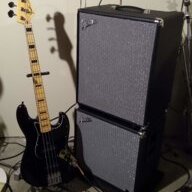
So these are my two new acquisitions for 2020!

Rumble on! :bassist:

Hip hip hooray for b! Man, that is some nice stuff ya got. I absolutely love that Mustang and would give my left...well, you know. That rig should do you well for a long time.

My advice is to find your few faves and tweak them to perfection. Then find a couple more that you can try some crazy experiments with using different effects. No matter what, have a ton of fun with it and prepare to be pleasantly surprised at your tones!
 
  • Like
Reactions: bhendrix
UPS showed up around dinner time. Got it unboxed, connected to wifi and updated firmware..
View attachment 3881343

After dinner - just did a complete run through of the 100 presets with the Mustang. Man.....this is gonna be fun!
View attachment 3881344
So these are my two new acquisitions for 2020!

Rumble on! :bassist:


Beautiful, beni hendrix! Simply outSTANDING! :thumbsup:

When you take a breather from playing with this gen-u-wine box o' fun, be sure to peruse the TONE App Support section of the Rumble Club Wiki page, linked in my signature, for lots and lots of helpful info; not the least of which is The @Droopy_TX Rumble Preset Experience sub-section, especially the Preset Templates and DECODER files!! Highly recommended. ;)

Enjoy, my brother! Enjoy! And we all know that you'll continue to. . . .

Rumble On!
.
 
  • Like
Reactions: iagtrplyr
Beautiful, beni hendrix! Simply outSTANDING! :thumbsup:

When you take a breather from playing with this gen-u-wine box o' fun, be sure to peruse the TONE App Support section of the Rumble Club Wiki page, linked in my signature, for lots and lots of helpful info; not the least of which is The @Droopy_TX Rumble Preset Experience sub-section, especially the Preset Templates and DECODER files!! Highly recommended. ;)

Enjoy, my brother! Enjoy! And we all know that you'll continue to. . . .

Rumble On!
.
Taking a break and about to download the Tone App on my phone. Thank you so much for compiling all that helpful info in one convenient spot! This light, little cab puts out some major tone!
 
  • Like
Reactions: iagtrplyr and G-Dog
Taking a break and about to download the Tone App on my phone. Thank you so much for compiling all that helpful info in one convenient spot! This light, little cab puts out some major tone!

And if you’re at all like me, ya lucky duck, you will use the app as much or more than the combo controls. Seriously, I don’t think I’ve ever tweaked a patch on the amp, always the phone. And with the updates Fender’s done, you get the cool graphics to boot.
 
  • Like
Reactions: bhendrix
And if you’re at all like me, ya lucky duck, you will use the app as much or more than the combo controls. Seriously, I don’t think I’ve ever tweaked a patch on the amp, always the phone. And with the updates Fender’s done, you get the cool graphics to boot.

@iagtrplyr, @bhendrix,
I also really like the v3 Tone app; but, if you're used to tweaking your amp tone from the front panel as with analog amps (or you just don't feel like using your phone), consider using the 'hybrid' method I described here:
All, just a follow-up on this statement I made in the general Rumble Club thread...

I was thinking further about my approach to editing settings on the Rumble Stage 800 using the CONTROLS layer, and I want offer this hybrid approach:

As I mentioned, the physical BASS, MIDDLE, and TREBLE knobs map to their corresponding settings within the underlying amp model (with the Rumble V3 mapping MID to its LO MID). You can use the physical knobs to edit those settings simultaneously to editing settings in the CONTROLS layer with the ENCODER knob.

So, let's say you have a preset in which you want to tweak four settings; for example: the Rumble V3's BASS, LO MID, HI MID, and TREBLE, or the KGB-800's BASS, MID, MID FREQ, and TREBLE.

In these instances, you can go into EDIT mode in the CONTROLS layer, and select the "fourth" setting with the ENCODER for editing, i.e. the Rumble V3's HI MID, or the KGB-800's MID FREQ.

Now, you have four physical knobs with which you can tweak these four settings simultaneously. This makes it very much like tweaking the tone on an analog amp.

Apologies if this was already painfully obvious, but it escaped me for a while.

Basically, this method takes advantage of the fact that the front-panel tone control knobs directly modify their underlying settings; then it uses the ENCODER to control a fourth setting. If you like what you come up with manually, a double-press of the SAVE button saves it to the current preset. I use both methods depending on my mood; but, definitely the app if I am doing effects or changing amps/cabs.
 
UPS showed up around dinner time. Got it unboxed, connected to wifi and updated firmware..
View attachment 3881343

After dinner - just did a complete run through of the 100 presets with the Mustang. Man.....this is gonna be fun!
View attachment 3881344
So these are my two new acquisitions for 2020!

Rumble on! :bassist:
Nice rig! Is that bass butterscotch?
Mmmm... butterscotch....:drool:
 
Nice rig! Is that bass butterscotch?
Mmmm... butterscotch....:drool:

I know, isn’t that bass beautiful? Best-looking guitar I’ve seen in days. Oh, to be right-handed. I wish Fender just made one lefty...for me!

Droops, I finished my recordings yesterday and, barring my wife’s to-do list today, I am making working on my use of the interface Job #1 today. I’ll be in touch.
 
  • Like
Reactions: bhendrix
I know, isn’t that bass beautiful? Best-looking guitar I’ve seen in days. Oh, to be right-handed. I wish Fender just made one lefty...for me!

Droops, I finished my recordings yesterday and, barring my wife’s to-do list today, I am making working on my use of the interface Job #1 today. I’ll be in touch.
Good luck on both the to-do list and the interface configuratin’.
Let me know how the latter task goes. (I got my own honey-do list to worry about. ;))
 
  • Like
Reactions: iagtrplyr
And if you’re at all like me, ya lucky duck, you will use the app as much or more than the combo controls. Seriously, I don’t think I’ve ever tweaked a patch on the amp, always the phone. And with the updates Fender’s done, you get the cool graphics to boot.
I'm right there with ya big guy! Downloaded the tone app and very intuitive. Was blazing around the system in no time! Read through the lengthy manuals while awaiting delivery, was a bit intimidated and thinking "what have I got myself into"... But I must say, Fender has made this super easy. Controlling on the amp is not hard to learn, but the tone app has really helped accelerate my learning curve!
 
  • Like
Reactions: G-Dog and iagtrplyr