• TalkBass has been independent since 1998. Add your voice.
    Create a free account to reply to discussions, view embedded media, and browse with fewer display ads.
    Join freeLog in
    Want zero display ads or expanded classifieds tools? Compare plans.

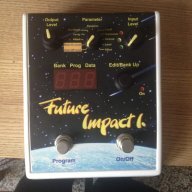
Future Impact now available!! WAS: deep impact reissue!!! interested?

Although the title says puc+, the pic shows the Puc, not the puc+.

I figured since the text says puc+ I'd go for it. If that's not what shows up I'd have a pretty good case for a refund.

I took a chance too

I'm late to reading this, but I was going to point that out too. The PUC+ lights up blue. The old PUC does not do Bluetooth, but it can do the same things over an ad hoc Wi-Fi connection. It works fine but it's a minor hassle to go into the Wi-Fi settings to connect every time (and not have regular internet access).
 
I'm late to reading this, but I was going to point that out too. The PUC+ lights up blue. The old PUC does not do Bluetooth, but it can do the same things over an ad hoc Wi-Fi connection. It works fine but it's a minor hassle to go into the Wi-Fi settings to connect every time (and not have regular internet access).
If that is the only difference between the two then it will be fine for me. Having internet access while I'm playing is a non issue. I'm more concerned if we got a good deal then if it is the older version.
 
If that is the only difference between the two then it will be fine for me. Having internet access while I'm playing is a non issue. I'm more concerned if we got a good deal then if it is the older version.

Yeah, it's not like I'm surfing the web on stage BUT there are times at home where I would like to maintain my connection but also pop over to check an e-mail or something. I like the Bluetooth better, but the Wi-Fi version is perfectly serviceable.
 
Also I found a simple app for iPhone called Midi Macros that looks like it may do exactly what I want. It just has editable tiles that you can name whatever you want and have them perform whatever scene changes you want. I'll report back after I've got it all together.

Downloaded the Midi Macros app (not free but very cheap) and with my iPad Air and M-Audio Midisport Uno it all just worked with zero configuration needed. Patch select is simple but you need to create a tile per patch, can't find any way of making a scroller. In addition to patch change you could easily set up drone note tiles which might be useful. I still might think of writing something myself but this little app does 75% of what I was looking for...
 
Downloaded the Midi Macros app (not free but very cheap) and with my iPad Air and M-Audio Midisport Uno it all just worked with zero configuration needed. Patch select is simple but you need to create a tile per patch, can't find any way of making a scroller. In addition to patch change you could easily set up drone note tiles which might be useful. I still might think of writing something myself but this little app does 75% of what I was looking for...
The tile feature works pretty good in midi commander so I would assume it would work well in your program too. The only program I know that has a roller is midi designer which is fantastic but you have to drop $20 for it. However if you are seriously into programming that is the best program Hands down.
 
  • Like
Reactions: Jonny5bass
Downloaded the Midi Macros app (not free but very cheap) and with my iPad Air and M-Audio Midisport Uno it all just worked with zero configuration needed. Patch select is simple but you need to create a tile per patch, can't find any way of making a scroller. In addition to patch change you could easily set up drone note tiles which might be useful. I still might think of writing something myself but this little app does 75% of what I was looking for...

I downloaded midi macros app as well (thanks for the heads up johnny5bass). It seems like it does everything I need (simple patch changing) but I'm having trouble setting it up. I don't understand the parameters and how to set them to program change a specific FI patch. Set the application to program change, set the channel to 1? Set the data byte to the PC number for the patch I want? I'm trying to use an iPod touch, not sure if my um-1 will work with it, do I need just the iPod camera cable to go with it or is there a better way? I'll look up the midisport in the meantime.
 
I downloaded midi macros app as well (thanks for the heads up johnny5bass). It seems like it does everything I need (simple patch changing) but I'm having trouble setting it up. I don't understand the parameters and how to set them to program change a specific FI patch. Set the application to program change, set the channel to 1? Set the data byte to the PC number for the patch I want? I'm trying to use an iPod touch, not sure if my um-1 will work with it, do I need just the iPod camera cable to go with it or is there a better way? I'll look up the midisport in the meantime.

UM is USB right? Then you need to go camera cable --> USB --> MIDI ports on the FI.

I'm not familiar with the MIDI Macros app, but based on how other MIDI programs work, you need to set the type of message to Program Change ("PC") and then the number to the patch you want. So, PC 6 to go to patch 6 on the FI. Channel shouldn't matter because by default the FI is in Omni mode, listening to all channels (1-16).
 
I am noticing a steady, high pitched tone coming from my FI. I have tried several different power supplies - switching and standard - and nothing seems to help. Has anyone else had this problem? Any solutions?
how high? and how loud compared to the original signal? is your f.i. daisy chained to other pedals? does it share power with any analog device?

i had once a really loud high pitched sound when i updated the firmware and tried to use the fi without "rebooting"...
 
UM is USB right? Then you need to go camera cable --> USB --> MIDI ports on the FI.

I'm not familiar with the MIDI Macros app, but based on how other MIDI programs work, you need to set the type of message to Program Change ("PC") and then the number to the patch you want. So, PC 6 to go to patch 6 on the FI. Channel shouldn't matter because by default the FI is in Omni mode, listening to all channels (1-16).

Thanks, Adamixoye. The wording is weird to me in the macros app, I'm not sure which parameter to set as the PC number. But I don't have the camera cable yet either so I can't play around with it yet. The um-1 is Roland's usb-midi interface, same as the M-Audio Midisport.
 
Thanks, Adamixoye. The wording is weird to me in the macros app, I'm not sure which parameter to set as the PC number. But I don't have the camera cable yet either so I can't play around with it yet. The um-1 is Roland's usb-midi interface, same as the M-Audio Midisport.

If you post a screenshot I might be able to help.
 
Here's a screenshot of the parameter page from Midi Macro.

image.png

I have set the status to program change and channel to 1 (1-16 available, no omni option). Where I should put in the PC number is the question. I hope to pick up a camera cable in a couple days so I can actually try it. Thanks for any help/thoughts.:thumbsup:
 
Here's a screenshot of the parameter page from Midi Macro.

View attachment 1002555
I have set the status to program change and channel to 1 (1-16 available, no omni option). Where I should put in the PC number is the question. I hope to pick up a camera cable in a couple days so I can actually try it. Thanks for any help/thoughts.:thumbsup:

If the FI is listening in omni then any channel here is okay. I think you just need to set the data byte 1 to the PC value you want. PC values are from 1 to 128 and that's one byte.