

Totally doable.
BONUS #1: If you want the entirety of each path to be sent out separate outputs, select the Mixer block and set A Pan to "L100" and B Pan to "R100".
- Press MENU and then FS1 (Signal Flow).
- Turn the Big Knob to select any block and then turn Knob 2 (Path) to move it to parallel Path B.
- Turn the Big Knob to select the Split block and then turn Knob 1 (Move Block) to move it all the way left.
- Touch FS3 (Split Y) to display its parameters. Turn Knob 1 (BalnceA) to "L100" and Knob 2 (BalnceB) to "R100." This routes the L/MONO input to Path A and the RIGHT input to Path B. Both signals will be merged at the Mixer block at the end.
BONUS #2: Instead, if you want each path to be completely stereo, select the Mixer block, touch FS2, and turn Knob 2 (Path B Output) to "Send12." In this case, the Main L/R outputs are fed by Path A and the Send 1/2 outputs are fed by Path B, both in stereo. Yes, HX Effects could conceivably process two separate band members, each with their own input, stereo processing, and stereo outputs.
BONUS #3: If you want to quickly switch between two completely separate paths, select the Split block and change it to a Split > A/B. Assign the RoutTo parameter to a footswitch (or expression pedal if you want to blend between the two paths).
There's a reason we hide this kind of stuff in the Signal Flow menu.
Thank you!!!! This is one hell of an info post.



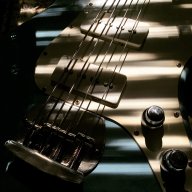



 . Fortunately, I was able to just dial in the HXFX pitch shifter in front of my chain, and proceed as if nothing happened. The tone was perhaps not quite what it used to be, but I got through rehearsal just fine!


